
Table of Contents
Parking in Abu Dhabi can be a bit challenging, especially with the different color codes. Abu Dhabi, the capital of the United Arab Emirates, is known for its organized infrastructure, and parking is no exception. Managed by the Integrated Transport Centre (ITC), the city’s Mawaqif system ensures an efficient and streamlined parking experience. Whether you’re a resident or a visitor, this guide will walk you through the various methods of paying for parking in Abu Dhabi.
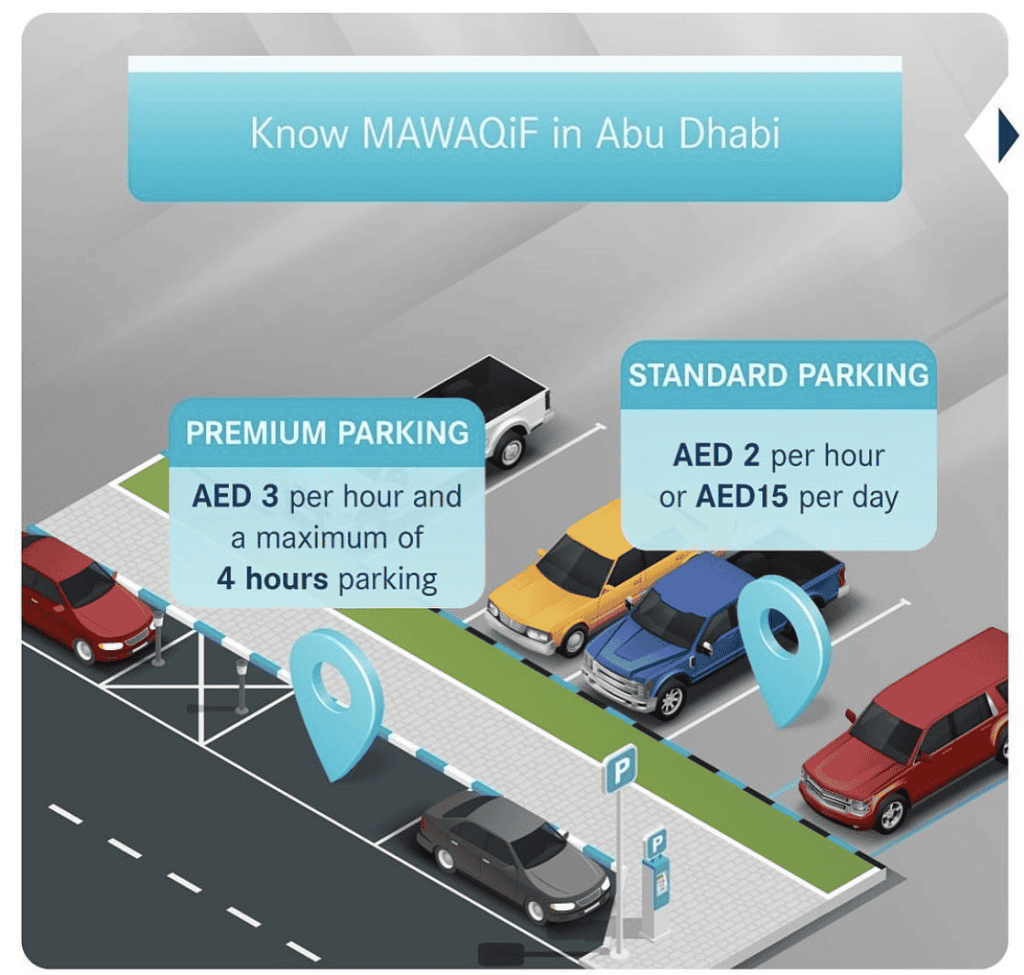
1) Understanding Mawaqif Zones
Abu Dhabi’s parking areas are divided into different zones:
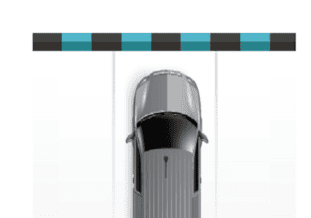
Standard Parking (Blue and Black Pavement Signs): Charges AED 2 per hour or AED 15 for a full day.
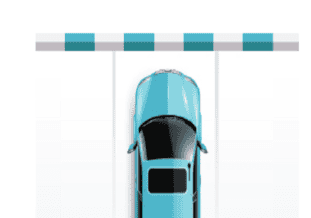
Premium Parking (Blue and White Pavement Signs): Charges AED 3 per hour or AED 24 for a full day.
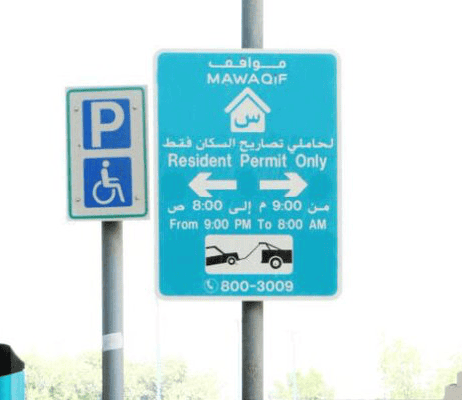
Residential Parking Permits: Reserved areas for residents; available through annual permits.
2) Payment Methods
Abu Dhabi offers multiple ways to pay for parking, ensuring convenience and accessibility:
a) SMS Payment
Paying via SMS is one of the most convenient methods, especially for short stays. Here’s how to do it:
- Open your phone’s SMS app.
- Send a text message in the following format: [City Code] [Space Number] [Duration in Hours] Example: AUH 12345 2 (for 2 hours in Abu Dhabi).
- Send the SMS to 3009.
- You will receive a confirmation message with your parking details.
Note: Standard SMS charges may apply.
b) Mawaqif Mobile App
The ITC’s Mawaqif mobile app allows you to pay for parking with ease. To use the app:
- Download the Mawaqif app from the App Store or Google Play.
- Register your vehicle details and payment method.
- Select your parking zone and duration.
- Confirm the payment.
c) Mawaqif Rechargeable Card
For frequent users, a rechargeable Mawaqif card is a practical option. This card can be topped up and used for parking payments at meters or via the app.
- Purchase a Mawaqif card from customer service centers or kiosks.
- Recharge the card online or at designated kiosks.
- Tap the card on parking meters to pay.
d) Parking Meters
Traditional parking meters are still available across the city. You can pay using coins, a Mawaqif card, or in some cases, credit/debit cards. Always ensure to display the parking ticket on your dashboard.
e) Online Payment via Darb Platform
Abu Dhabi’s Darb platform integrates multiple transport-related services, including parking payments:
- Visit the Darb website or download the Darb app.
- Log in or register for an account.
- Select the parking service and pay using your registered vehicle details.
3) Fines and Penalties
Failing to pay for parking or exceeding the allotted time may result in fines. Common violations include:
- Parking without payment: AED 200.
- Parking in a premium zone with a standard ticket: AED 100.
- Blocking access or double parking: AED 500.
4) Tips for Smooth Parking
- Check the Zone: Always check the signage for the parking zone type and fees.
- Keep Receipts: Retain SMS confirmations or printed tickets as proof of payment.
- Set Reminders: If paying for limited hours, set a reminder to avoid overstaying and fines.
With these easy and accessible payment methods, navigating Abu Dhabi’s parking system becomes hassle-free. Whether you prefer digital platforms or traditional meters, the city’s options cater to all needs, ensuring a smooth experience.