
Dubai, known for its vibrant urban life and well-planned infrastructure, offers a seamless parking management system operated by the Roads and Transport Authority (RTA). The city provides various convenient ways to pay for parking, catering to both residents and visitors. This guide outlines the key methods and tips to ensure hassle-free parking in Dubai.
1) Understanding Parking Zones in Dubai
Dubai’s parking zones are classified into various categories:
- Zone A (Commercial): AED 4 per hour.
- Zone B (General): AED 3 per hour.
- Zone C (Side Streets): AED 2 per hour.
- Zone D (Non-Commercial Streets): AED 2 per hour.
- Zone E (Deira Fish Market): AED 5 per hour.
- Zone F (Tecom): AED 4 per hour.
- Zone G (Dubai Silicon Oasis): AED 4 per hour.
Parking charges apply during specific hours (generally from 8 AM to 10 PM, Saturday to Thursday). Fridays and public holidays are usually free unless otherwise specified.
2) Payment Methods
Dubai offers multiple ways to pay for parking, ensuring convenience and accessibility:
a) RTA SMS Parking
Paying via SMS is a popular method for those on the go. Follow these steps:
- Open your phone’s SMS app.
- Send a message in the following format: [Plate Number] [Zone Code] [Duration in Hours] Example: A12345 A 2 (for 2 hours in Zone A).
- Send the SMS to 7275 (PARK).
- You’ll receive a confirmation message once the payment is successful.
Note: Ensure your phone number is registered with the RTA to use this service. Standard SMS charges apply.
b) RTA Dubai App
The RTA Dubai app provides a seamless way to pay for parking and manage parking sessions. Here’s how to use it:
- Download the RTA Dubai app from the App Store or Google Play.
- Register your vehicle and payment details.
- Select the parking zone, duration, and confirm payment.
- The app notifies you when your parking session is about to expire, allowing you to extend it.
c) Nol Card Payment
Nol cards, primarily used for public transport, can also be used for parking payments at select locations. To pay:
- Insert your Nol card into the parking meter.
- Select the desired duration.
- Confirm the payment and collect your ticket to display on the dashboard.
d) Smart Parking Meters
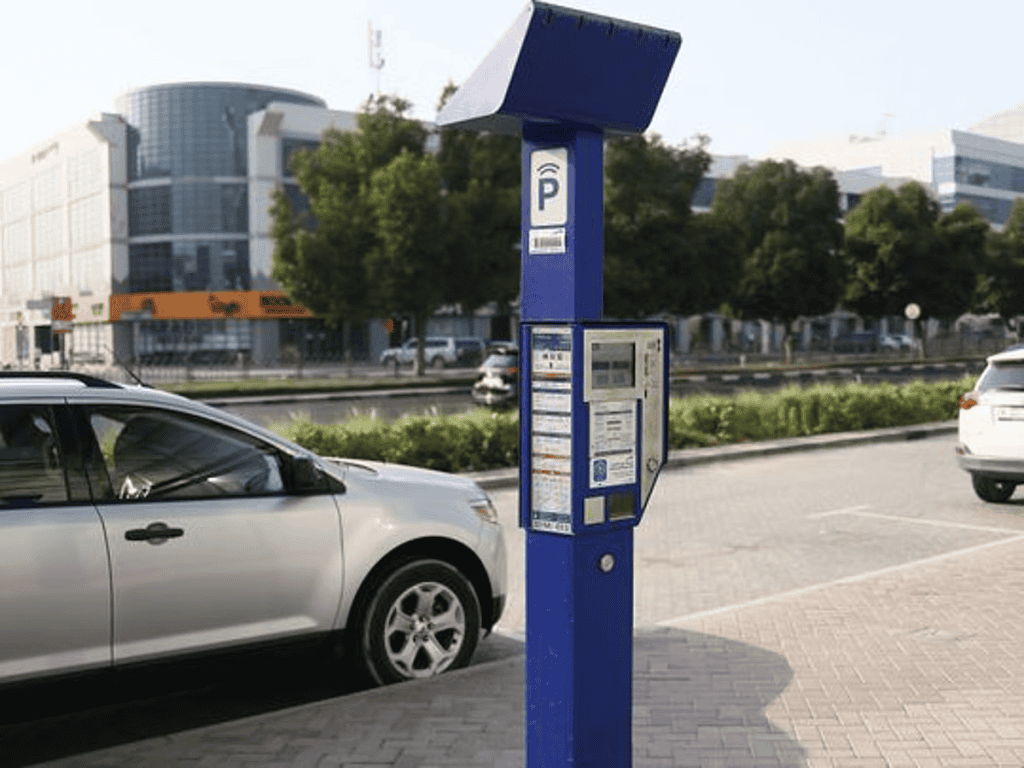
Traditional parking meters across Dubai accept various payment methods, including coins, Nol cards, and credit/debit cards. Simply follow the on-screen instructions, pay, and display the ticket in your car.
e) Season Parking Cards
For frequent users, the RTA offers season parking cards. These cards provide unlimited parking access for specific zones and durations. Cards can be purchased online via the RTA website.
3) Avoiding Parking Fines
Failure to follow parking regulations may result in fines. Common violations include:
- Parking Without Payment: AED 150 fine.
- Exceeding Paid Duration: AED 100 fine.
- Blocking Other Vehicles: AED 500 fine.
- Parking in a Disabled Zone Without a Permit: AED 1,000 fine.
4) Tips for a Smooth Parking Experience
- Know Your Zone: Always check the zone signage for fees and applicable rules.
- Set Alarms: Use reminders to avoid overstaying in time-restricted areas.
- Retain Proof of Payment: Keep SMS confirmations or tickets for future reference.
- Stay Updated: Follow RTA announcements for changes in parking rules or rates.
Dubai’s parking system is designed for efficiency and convenience, offering flexible payment options to suit every user. Whether using the RTA app, SMS, or traditional meters, you can ensure a stress-free parking experience while enjoying everything Dubai has to offer.